WeatherNews: Local & Breaking
- 4.4
- Rating
- 500.00K
- Installs
- Free
- Price
 Analysis by App-foxy
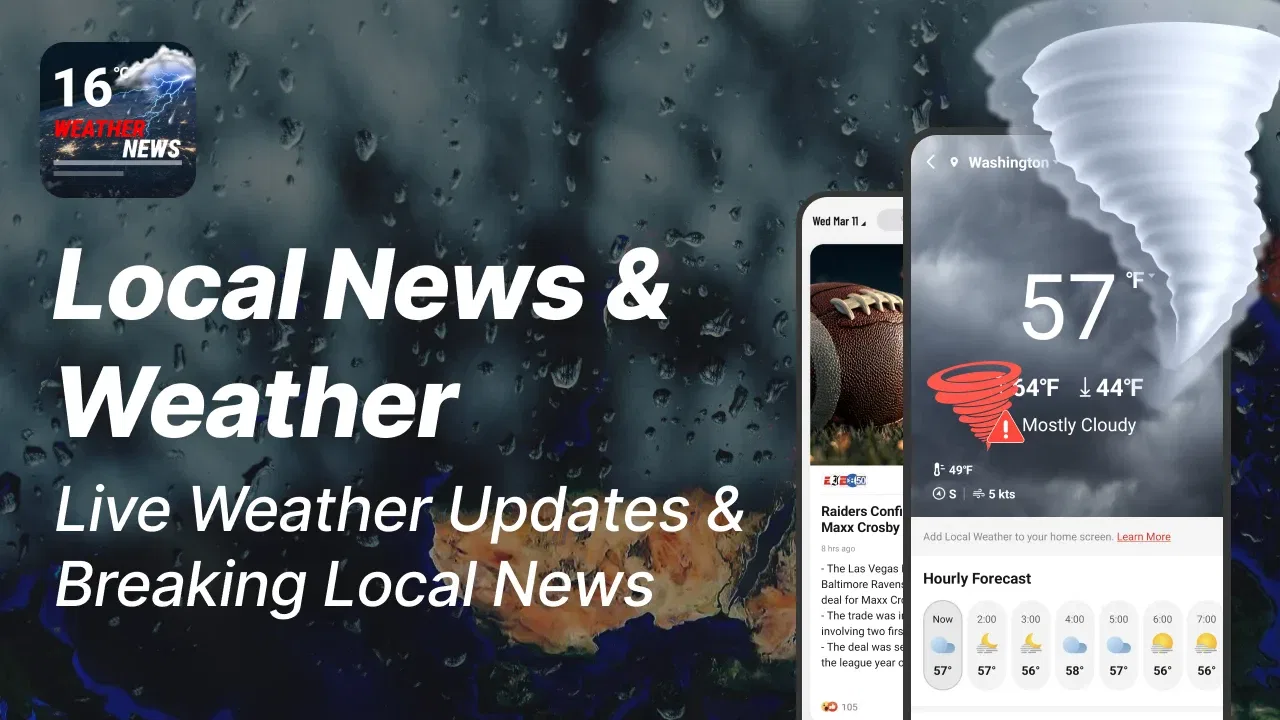
WeatherNews: Local & Breaking is the kind of app I would open when I want a quick look at the weather and nearby headlines without moving between several separate services. It sits in the News & Magazines category, but its appeal comes from combining two everyday needs: checking what the sky may do next and finding out what is happening around me. That combination makes it more practical than a news-only app for some people, although it will not automatically replace a dedicated weather tool or a full local newsroom for everyone.
I tested it with a simple question in mind: does putting forecasts and local news together actually make daily planning easier? My answer is yes, especially when I want a fast overview before leaving home. The experience is more useful when I treat it as a first stop rather than my only source for serious weather decisions or detailed reporting. That distinction is important, because convenience is its strongest quality, while depth and specialization are where traditional alternatives may still have the advantage.
How I judged the app for everyday decisions
For an app like this, I care about more than whether it displays a forecast. I want to know how quickly I can understand the day, whether the information feels relevant to my location, and whether the news adds useful context instead of becoming visual noise. I also look at how well the app supports different rhythms: a ten-second morning check, a more careful look before a trip, and a quick return during a changing day.
You May Also Like

 Blood Strike: 2.5 Anniversary
Blood Strike’s Loadouts Turn Every Drop Into a Tactical Gamble
A close look at Blood Strike’s custom loadouts: how fast access to signature weapons reshapes its battle royale rhythm, rewards preparation, and narrows the gap between fights.

 Pandora - Music & Podcasts
Pandora’s Music Is Easy to Start, but Harder to Recover
Pandora’s strength is its low-effort path from a seed to a station. Its weak spot is how much confidence it asks you to place in connection, setup, and quiet recovery.

 8 Ball Pool
 Is Built on Rivalries, Rematches, and Routine
A close look at the rivalries, rematches, shared routines, and unanswered safety questions that turn a quick pool match into a persistent mobile community.

 Samsung Music
’s Quiet Strength Is Playing What You Already Own
Its reach comes less from spectacle than from dependable access to a personal library. That simplicity is both the app’s strongest retention engine and its ceiling.

 AccuWeather: Weather Radar
AccuWeather Review: A Quick, Clear Forecast for Everyday Decisions
For everyday plans, the best forecast is the one you can understand quickly. AccuWeather makes rain timing, radar, and local conditions easy to act on, with a few trade-offs.

 Hill Climb Racing
Why Hill Climb Racing Still Turns Crashes Into One More Run
A tiny car, a bumpy hill and one more upgrade: Hill Climb Racing keeps resurfacing because its simple chaos makes every near-miss feel personal.
More From Our News Desk



The developer, NEWSDELIVER LIMITED, presents the app as a free download for everyone, with optional in-app purchases ranging from $1.99 to $39.99 per item. That makes the initial decision easy: there is little barrier to trying it. The more important decision is whether the free experience gives you enough value without making you feel pushed toward paid extras. I would make that judgment during normal use rather than assuming the presence of purchases automatically makes the app unsuitable.
Its current version is 1.3.0 and it works on Android 8.0 or later. In practical terms, that gives it a reasonably broad audience, including people who keep an older phone for everyday use. I still recommend checking the app on the device you actually rely on, because an older operating system can affect how comfortably any modern news and weather interface behaves. The age rating is Everyone, which matches the straightforward nature of the subject matter.
One useful way to assess WeatherNews: Local & Breaking is to ask what decision it helps me make. If I am deciding whether to carry an umbrella, leave earlier, or glance at developing local stories, a combined view is efficient. If I need a specialist forecast, a deep investigation, or a carefully sourced explanation of a complex event, I would look beyond this app. That is not a flaw so much as a reminder to match the tool to the question.
The morning routine where the combined format makes sense
My most convincing use case is a weekday morning. I can open the app while having coffee, check the hourly outlook, and scan local headlines before deciding what to wear and when to leave. The weather gives immediate practical information, while the news section tells me whether there is something nearby that could affect my route or plans. Even when the headlines do not change my schedule, the pairing saves me from opening separate apps in sequence.
The hourly view is especially helpful for short plans. A general statement that the day will be rainy is less useful than knowing whether rain is more likely during the walk to work or later in the afternoon. I would use that view to choose when to run errands, schedule a short outdoor break, or decide whether a light jacket is enough. It is a small workflow, but it is the kind of repeated convenience that can make an app earn a place on a home screen.
The daily forecast serves a different purpose. I use it for broader planning, such as deciding whether an outdoor appointment needs a backup plan. The two time scales should not be treated as interchangeable: the daily view is a quick outline, while the hourly view is where I look for timing. Keeping that distinction in mind prevents me from overreacting to a general daily label.
Where the app is strongest
The clearest strength is context in one place. Weather and local news influence many of the same decisions, yet they are often separated into different apps. Here, the combined focus encourages me to connect the forecast with what is happening nearby. A hot afternoon, a storm risk, or a sudden change in conditions becomes more meaningful when I can also see the local information surrounding it.
I also like the app as a low-effort discovery tool. I do not always know which local publication or weather source to open, particularly when I am away from my usual area. A single starting point reduces that hesitation. For someone who wants a broad sense of the day rather than a research session, that simplicity is valuable.
The app’s scale also suggests that it has already attracted a meaningful audience: it has passed 100K+ installs, with a 4.3 average from 274 ratings and 30 reviews. I would not treat those figures as proof that it will suit every phone or location, but they do make the app feel less like an untested experiment. I see them as a reason to try it, not as a substitute for my own judgment.
Another advantage is the balance between immediate and ongoing use. The weather component gives me a reason to open the app at specific moments, while the news feed can bring me back when I want a broader update. That gives the app more daily relevance than a forecast screen I only check when rain is already visible outside.
Three practical habits that improve the experience
First, I would use the daily view to set expectations and the hourly view to make decisions. Looking only at the daily summary can lead to vague planning, while staring at hourly changes without a broader view can make a normal day seem more uncertain than it is. Reading them in that order gives me a calmer and more useful picture.
Second, I would scan the news after checking the forecast, not before. Starting with headlines can pull attention toward stories that are interesting but irrelevant to the next few hours. Weather first establishes the immediate plan; local news then adds context. This order makes the combined design feel purposeful instead of crowded.
Third, I would treat the app as a screening layer for important stories. When a headline affects travel, safety, work, or family plans, I would open the full report or consult an appropriate official source before acting. A compact feed is excellent for discovering what deserves attention, but a short headline should not be the only basis for a consequential decision.
Where a different category may fit better
WeatherNews: Local & Breaking is not the best choice for every kind of reader. If weather is your main concern and you care about specialist detail, a dedicated weather app may offer a more focused experience. Such an app is likely to feel less distracting because every screen and interaction is centered on forecasts. I would choose that route for outdoor work, frequent travel, or situations where precise weather information matters more than local headlines.
On the other hand, people who mainly follow politics, business, culture, or international events may prefer a full news reader built around those subjects. This app’s local emphasis is useful when proximity matters, but it may not satisfy someone who wants long-form reporting, extensive topic filters, or a large archive. I would not switch from a trusted specialist news service solely because this app also includes weather.
There is also a case for keeping two familiar apps. Separate tools can be more efficient when each one is already configured exactly the way I like. The trade-off is extra switching: I have to remember which app answers which question, and I lose the convenience of seeing weather and local stories together. WeatherNews: Local & Breaking wins when reducing that friction matters more than having the deepest possible experience in either category.
People who dislike mixed-purpose interfaces should think carefully before adopting it. Combining weather and news is convenient, but it also means the screen has more competing information than a single-purpose tool. If I want a quiet, minimal forecast with no temptation to browse headlines, a dedicated weather app is probably the better fit. If I want uninterrupted reading, a dedicated news app will feel more natural.
Questions I would consider before installing
Will it work on an older phone? The stated minimum is Android 8.0, so many users with older devices can at least meet the operating-system requirement. I would still judge the actual experience on the phone I use every day, particularly if storage, speed, or screen size is already a concern. The app is designed for broad access, but broad compatibility does not guarantee identical comfort on every handset.
Is it really free? The app is free to download, but optional purchases are available from $1.99 to $39.99 per item. I would install it first, explore the normal weather and news workflow, and only then decide whether any paid element is worthwhile. That approach avoids paying before I know whether the combined format suits my habits.
Can it replace my existing weather and news apps? For a casual daily overview, it may reduce the need to open both. I would not assume it replaces a specialist service for detailed forecasts or a trusted publication for complete reporting. The best role is often as a convenient front door: check the situation quickly, then move to a more specialized source when the subject deserves closer attention.
Is it useful if I travel? It can be useful as a starting point because weather and local information become more relevant when I am unfamiliar with an area. Still, I would prepare important travel plans with additional sources. A traveler needs confidence about transport, closures, and conditions, and a compact overview should be treated as one part of that preparation rather than the entire plan.
Who should skip it? I would skip it if I already have a carefully tuned pair of apps and rarely want local headlines beside the forecast. I would also look elsewhere if my priority is professional-level weather detail, long investigative articles, or a highly specialized news feed. The app is most convincing for people who value speed, context, and fewer app switches.
The real cost of changing your routine
Switching to a combined app is not only about downloading it. I would need to change the small habits built around my current tools: where I look first in the morning, which source I trust for developing stories, and how I verify weather before an important plan. That adjustment is modest, but it is worth acknowledging. Convenience is only real if the new workflow becomes natural.
I would make the transition gradually. For several days, I would use WeatherNews: Local & Breaking as the first check while keeping my usual services available for comparison. I would pay attention to whether the local headlines feel relevant, whether the hourly forecast answers practical questions, and whether I return to the app without being prompted by a need. If it consistently shortens my routine, it has earned a permanent place.
The financial side also favors a cautious trial because the download is free, while purchases are optional and vary by item. I would avoid treating a paid option as necessary until the basic workflow proves useful. The bigger cost may be attention: a news feed can turn a quick weather check into an unplanned browsing session. I would keep that in mind if I am trying to reduce screen time.
For privacy-conscious users, I would make the same sensible choice I make with any location-aware weather product: review the app’s permission requests and device settings during setup, and allow only what feels necessary for the features I intend to use. I would not grant access automatically just because the app is convenient. That small pause helps keep the installation aligned with my actual needs.
My recommendation
I recommend WeatherNews: Local & Breaking to readers who want a quick daily briefing that connects the forecast with nearby events. It is particularly suitable for commuters, students, families, and anyone who makes frequent small decisions based on both weather and local developments. The free entry point makes it easy to test, and the Everyone rating keeps its audience broad.
I would describe it as a practical companion rather than an all-purpose authority. Its best moment is the short check before leaving home: look at the day, inspect the hours that matter, scan nearby headlines, and decide whether anything needs a closer look. That workflow is more useful than simply repeating the promise of weather and news in one place because it shows exactly where the combination earns its keep.
My final advice is to install it if your current routine feels fragmented. Give it enough time to judge the local relevance and the balance between forecast information and headlines. Keep a dedicated alternative if you need specialist weather detail or deeper journalism. Choose it for convenience and context, not as a replacement for every source you already trust.
After weighing those trade-offs, I see WeatherNews: Local & Breaking as a sensible choice for everyday awareness. It does not need to dominate every category to be useful. By bringing short-term planning and local discovery into the same routine, it can make ordinary decisions faster, provided I remember when a more focused app or authoritative source is the better tool.
FAQs for WeatherNews: Local & Breaking
01What features does WeatherNews: Local & Breaking offer?
WeatherNews: Local & Breaking provides a comprehensive suite of features including real-time local weather updates, severe weather alerts, and breaking news related to weather events. Users can also access detailed forecasts, radar maps, and weather-related news articles. The app is designed to keep users informed and prepared for any weather conditions.
02Is WeatherNews: Local & Breaking free to use?
Yes, WeatherNews: Local & Breaking is free to download and use. However, it may offer in-app purchases or subscription options for additional features and an ad-free experience. Users should check the app’s description on the App Store or Google Play for detailed information about any potential costs.
03How accurate is the weather information provided by the app?
WeatherNews: Local & Breaking is known for its accuracy due to its use of advanced meteorological data and technology. The app sources information from reliable weather stations and satellite data, providing users with precise and timely updates. However, like any weather service, predictions can vary and should be used as a guide.
04Can I customize the alerts and notifications in WeatherNews: Local & Breaking?
Yes, users can customize alerts and notifications in WeatherNews: Local & Breaking. The app allows you to set preferences for different types of weather alerts, including severe weather warnings and daily forecasts. Users can adjust these settings in the app’s menu to receive updates that are most relevant to their needs.
05Does WeatherNews: Local & Breaking require an internet connection?
WeatherNews: Local & Breaking requires an internet connection to provide real-time updates and fetch the latest weather data. While some previously accessed information may be available offline, users will need connectivity to receive the most current forecasts and alerts. It is advisable to have a stable data connection for optimal app performance.
Pros
- Accurate and timely weather updates.
- User-friendly interface with intuitive design.
- Customizable alerts for severe weather.
- Detailed radar maps for better planning.
- Minimal ads for a smoother experience.
Cons
- Limited free features without subscription.
- Occasional lag in loading radar maps.
- Some features require location access.
- Ad-free version is subscription-based.
- Limited customization for notifications.

WeatherNews: Local & Breaking
Gallery